















Canva VS Photoshop: Which is Better?<\/h2>Introduction to Canva and Photoshop
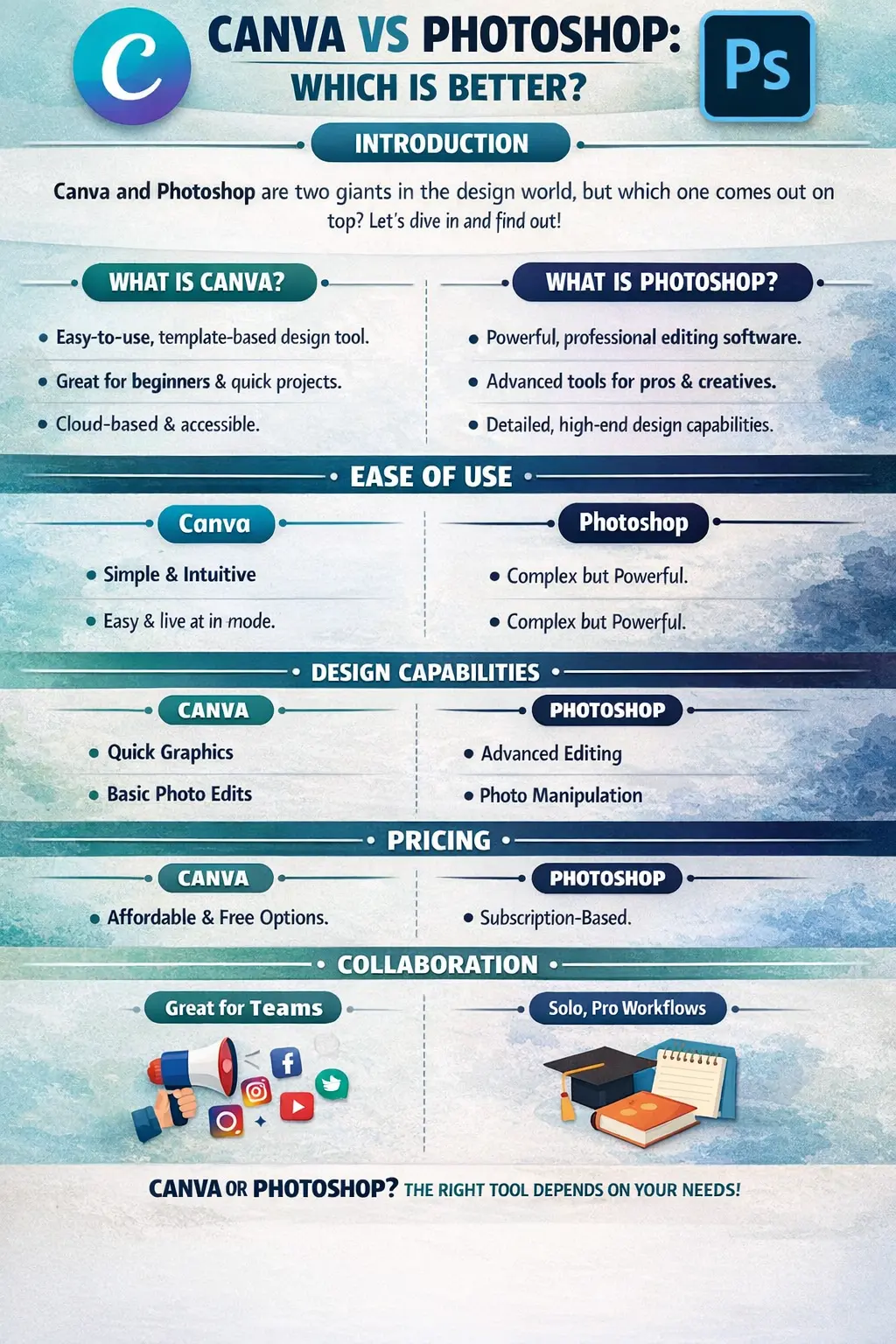
aIn today’s digital-first world, visual content has become just as important as written content. From Instagram posts and YouTube thumbnails to business presentations and advertising banners, design is everywhere. Two names dominate this space—Canva and Adobe Photoshop. If you are confused about which one to choose, you are not alone. This is one of the most searched comparisons among beginners, marketers, students, and even professionals.At first glance, Canva and Photoshop may seem similar because both help you create visual designs. But in reality, they are built for very different purposes. Canva focuses on speed, simplicity, and accessibility, whereas Photoshop emphasises depth, control, and professional-level creativity. Think of Canva as a ready-made meal—quick and tasty—while Photoshop is like cooking from scratch with complete control over ingredients.
Why This Comparison Matters in 2025
In 2025, competition in digital platforms is higher than ever. Businesses, creators, and freelancers must stand out visually to survive. Choosing the wrong tool can waste time, money, and effort. For beginners, an overly complex tool can feel discouraging. For professionals, a limited tool can restrict creativity. That’s why understanding the difference between Canva and Photoshop is crucial before investing your time and resources.
What is Canva?
Canva is a cloud-based graphic design platform that allows users to create designs easily using drag-and-drop tools. You don’t need design knowledge, technical skills, or powerful hardware to use Canva. All you need is an internet connection and a basic sense of creativity.
Canva’s Core Features
Canva offers thousands of ready-made templates for social media posts, posters, presentations, resumes, brochures, business cards, and even videos. It also provides a massive library of fonts, icons, shapes, stock photos, animations, and background music. The platform is designed to guide users step by step, making the design feel effortless and intuitive.Another major feature is cloud storage. Your designs are automatically saved online, so you can access them anytime, anywhere, from any device.
Canva’s Target Audience
Canva is made for people who want quick results without technical complexity. It is widely used by students, teachers, social media managers, start-ups, influencers, and small business owners.
Canva for Beginners
For beginners, Canva feels like a lifesaver. You don’t need to understand layers, masks, or complex tools. Everything is visually guided. This makes Canva ideal for those who want professional-looking designs without spending months learning design theory.
Canva for Businesses
Businesses use Canva to maintain brand consistency while saving time. With brand kits, companies can store logos, colours, and fonts in one place. Teams can collaborate in real time, reducing dependency on professional designers for small tasks.
What is Adobe Photoshop?
Adobe Photoshop is a professional image editing and design software developed by Adobe. It has been the industry standard for decades and is used by graphic designers, photographers, digital artists, and creative agencies worldwide.
Photoshop’s Core Features
Photoshop offers powerful tools, including layers, masks, blend modes, smart objects, brushes, filters, and advanced colour correction. It allows pixel-level editing, meaning you have full control over every detail of your design. From photo manipulation to digital art and complex compositions, Photoshop can handle it all.
Photoshop’s Target Audience
Photoshop is designed for professionals and serious learners. It is not limited to basic design tasks and is often used in advertising, film, photography, and branding.
Photoshop for Professionals
For professionals, Photoshop is a must-have skill. It allows complete creative freedom, making it possible to execute complex ideas that are impossible with simpler tools like Canva.
Photoshop for Advanced Editing
If your work involves detailed photo retouching, background removal, compositing, or visual effects, Photoshop is unmatched in its capabilities. It’s like having a full design studio on your computer.
Design Capabilities Compared
Graphic Design
Canva is Perfect for quick graphic designs like posters, banners, and social media posts. Photoshop is ideal for custom branding, illustrations, and high-quality design projects.
Photo Editing
Canva offers basic photo editing features such as filters, brightness, contrast, and cropping. Photoshop provides professional-grade photo editing tools used in the fashion, advertising, and photography industries.
Retouching and Manipulation
Photoshop dominates in retouching, object removal, background replacement, and realistic photo manipulation. Canva simply cannot match this level of detail.
Templates, Assets, and Customisation
Canva Templates
Canva’s biggest strength is its massive template library. These templates save time and spark creativity, especially for Non-designers.
Photoshop Custom Design Freedom
Photoshop offers limited built-in templates but Unlimited Customization. You create designs exactly as you imagine, without restrictions.
Use Cases: Who Should Use What?
Canva for Social Media
Canva is Perfect for creating consistent and attractive social media content quickly.
Photoshop for Professional Design
Photoshop is best for branding, advertising, and high-end creative projects.
Canva vs Photoshop for Businesses
Small businesses favour Canva, while agencies and large companies rely on Photoshop.
Pros and Cons of Canva
Pros:- Extremely easy to use
- Affordable pricing
- Huge template library
- Ideal for quick designs
Cons:- Limited advanced features
- Less creative freedom
Pros and Cons of Photoshop
Pros:- Industry-standard software
- Unlimited creative control
- Advanced editing tools
Cons:- Steep learning curve
- Higher cost
- Requires powerful hardware
SEO, Marketing, and Branding Perspective
Canva helps marketers create Quick visuals that improve engagement. Photoshop helps brands build a unique and professional identity.
Future Scope and Career Opportunities
Canva improves productivity. Photoshop builds long-term career opportunities. Learning both gives you a competitive edge.
Final Verdict: Canva vs Photoshop – Which is Better?
Canva is Better for beginners, marketers, and Fast content creation. Photoshop is better for professionals and advanced creative work. The best choice depends on your goals.
Conclusion
Canva and Photoshop serve different purposes. Canva simplifies design, while Photoshop perfects it. If you want speed and ease, choose Canva. If you want mastery and professional growth, choose Photoshop. Many successful designers use both, proving that balance is the smartest approach.
Pros and Cons of Photoshop
🎯 Recommended Career Program
Graphic Design Course in Delhi
Master Photoshop, Illustrator, InDesign, CorelDraw & Gen AI with 100% placement support.
Next Batches: Starting Every Week (Fast Track & Weekend Available)
Recently Added Articles

.webp)


.webp)










.png)



 Book A Free Demo
  18001020418
 Apply Now





 Please select course category